13+ Best Working From Home Tips to Stay Productive in 2026

The question isn't whether remote work is dying because the data says it isn't. The real problem is that most people who land remote roles aren't set up to thrive in them. No structure, no boundaries, no separation between work and life. Studies consistently show that poor remote work habits erode output, blur the line between work and personal time, and—if left unchecked—quietly stall career growth.
In this guide, we lay out practical and proven working from home tips covering workspace setup, productivity habits, work-life balance, communication, and career visibility. Work through the sections that matter most to you right now—you don't need to overhaul everything in one go.
- A quiet, purpose-built home office reduces distractions and signals your brain it's time to work.
- Fixed start and end times preserve work-life balance and noticeably boost daily output.
- Time-blocking and the Pomodoro technique are proven methods for managing a remote workday without losing momentum.
- Communicating early, often, and in writing keeps remote teams connected without calendar overload.
- Working remotely doesn't have to slow your career—keeping a polished, up-to-date resume ensures you're always ready for the next opportunity.
Do Remote Jobs Still Exist?
Yes, but the picture is more nuanced than it was a few years ago. According to Statista’s Consumer Insights survey, one in five U.S. adults works remotely on a regular basis. Remote work is very much alive, with this trend being relatively stable since 2022.
Moreover, the recent white paper titled “The Rise of Global Digital Jobs” outlined optimistic views regarding remote work. For example, the number of digital jobs that can be done remotely is expected to grow by about 25%, reaching roughly 92 million worldwide by 2030. Most of these roles will be higher- and mid-income positions like software developers, finance managers, paralegals, and graphic designers.
Therefore, if you’re planning to take advantage of this job market shift, it’s important to know how to work from home effectively—starting with a few practical tips that can help you stay productive and stand out.
15 Best Work From Home Tips to Stay Productive, Focused, and Balanced
The best working from home tips cover five key areas, i.e., physical environment, time management, mental well-being, team communication, and career visibility. Nail all five, and your work-from-home job stops feeling like a compromise.
#1. Create a Dedicated Workspace

Physical separation matters more than most people expect. When your dining table doubles as your desk, your brain never fully shifts into work mode. Even a specific corner of a room, consistently used for work and nothing else, creates a psychological on/off switch that helps enormously.
Your workspace doesn't need to be large or perfectly styled. A cleared desk, decent lighting, and a chair that doesn’t hurt your back will do the job. What matters is consistency; using the same spot every day trains your focus.
Also, a dedicated workspace projects professionalism in video interviews and touch-base meetings. Hiring managers and colleagues pick up on background clutter, poor lighting, and ambient noise.
#2. Invest in Ergonomic Equipment
The physical toll of long working-from-home hours, such as back pain, eye strain, wrist discomfort, sneaks up on you. They eat into concentration and, over months, can become genuine health issues.
According to OSHA guidelines, ergonomics—essentially fitting your workspace to your body—plays a key role in reducing muscle fatigue, boosting productivity, and lowering the risk of work-related musculoskeletal disorders (MSDs).
In case of remote work, the key ergonomic investments are:
- Chair with proper lumbar support
- Monitor positioned at eye level (use a stack of books if you need to)
- A keyboard and a mouse that keep your wrists in a neutral position
- Adequate lighting that doesn't create screen glare
Also, standing desks can help, especially if you feel energy dip around the mid-afternoon mark.
#3. Ensure a Reliable, Fast Internet Connection
A buffering video call at a critical moment, documents that won't load, a dropped connection during a remote interview—these things damage professional credibility quickly.
Where possible, use a wired Ethernet connection rather than Wi-Fi. It's faster and far more stable. If you're on Wi-Fi, position yourself close to the router and minimise the number of devices competing for bandwidth during work hours. A mobile hotspot from your phone makes a reliable backup for the rare occasions your main connection lets you down.
A stable connection is particularly critical interview advice if you're actively job hunting—remote interviews are now standard, and technical difficulties during a hiring call are hard to recover from.
#4. Set a Consistent Daily Schedule
Consistent start and end times anchor your day, prevent the 'just one more email' trap that keeps you online until 9 PM, and make your availability predictable to colleagues.
Calendar blocking—scheduling not just meetings but also focused work time, admin tasks, and breaks—turns your day from reactive to intentional. It's also useful for communicating availability to teammates, which reduces the friction of async collaboration.
Reducing after-hours work creep is just as important as starting on time. Set a clear shutdown cue—close your laptop, step away from your workspace—and stick to it. It sounds simple because it is. It just takes practice.
#5. Use Time-Management Techniques
The Pomodoro technique—25 minutes of focused work, followed by a 5-minute break—is one of the most field-tested time management approaches to maintaining concentration across a remote workday. It works partly because it makes large tasks feel less intimidating, and partly because the built-in breaks prevent the mental fatigue that tends to hit around the two-hour mark.
Time blocking and batching similar tasks (all emails at once, all calls in one slot, all deep-focus work in another) are equally powerful. The open-calendar approach—just responding to whatever comes up—feels flexible but usually leads to days that feel busy and unproductive at the same time.
#6. Eliminate Distractions Intentionally
WFH distractions fall into a few predictable categories:
- Household chores that suddenly feel urgent
- Social media
- Unplanned interruptions from family or roommates
- General low-level noise of home life
The key word in this tip is “intentionally” because these distractions don't disappear on their own. That said, here’s a quick overview of common work-from-home distractions and counter-strategies:
| Distraction | Counter-Strategy |
|---|---|
Social media | Browser blocker (Freedom, Cold Turkey) |
Household chores | Schedule them outside work hours |
Family / roommates | Set clear 'in focus' signals |
Phone notifications | Do Not Disturb during work blocks |
Email checking | Batch to 2–3 set times per day |
#7. Take Regular, Purposeful Breaks
Scrolling through your phone for 10 minutes gives your eyes a rest but doesn't give your brain one—you're still processing information, just different information. The breaks that actually restore cognitive performance involve movement, a change of physical environment, or simply doing nothing.
A short walk, five minutes outside, some light stretching between tasks—these are the breaks that make the hour that follows genuinely productive. Deliberate rest between focused work periods improves both output quality and emotional resilience.
#8. Leverage Productivity Apps and Tools
The remote work software toolkit has never been more well-stocked. For example:
- Asana and Trello keep tasks and deadlines visible.
- Slack and Microsoft Teams handle async and real-time messaging well.
- Forest gamifies phone-free work.
- Google Drive enables easy file sharing.
However, the trap is tool overload. If setting up the system starts to feel like a second job, pull back. One project management tool, one communication tool, one focus tool. That's a solid stack; you don't need more.
#9. Set Clear Boundaries With Household Members
Working from home with other people in the house is its own challenge, and it doesn't resolve itself. You need to have explicit conversations with partners, kids, or roommates about when you're working and what “in a meeting” actually means. A closed door is a good physical signal, but only if everyone in the house understands what it means.
This goes beyond daily convenience. Without clear household boundaries, the slow build-up of interrupted workdays and blurred evenings leads straight to burnout. This doesn't just hurt your current role; it affects your career advancement and how you show up for the next one.
#10. Build a Morning Routine
The commute to an office serves a purpose beyond just getting there—it’s a mental transition. That's what you're recreating when you build a morning routine. Getting dressed (properly dressed, not just presentably on camera), taking a short walk, having coffee away from your desk before opening your laptop—these small rituals tell your brain the workday is starting.
Starting work from bed or in pyjamas seems harmless, but it consistently blurs the psychological line between home time and work time. Over weeks, that blurring compounds. A 20-minute morning routine is a low-cost investment that pays back in sharper morning focus and a cleaner mental shift between modes.
- 6:30 AM — Wake up, no screens for 15 minutes
- 6:45 AM — Shower, get dressed (as if leaving the house)
- 7:15 AM — Short walk or light movement
- 7:45 AM — Coffee, breakfast, review today's priorities
- 8:30 AM — Open laptop. Workday begins.
#11. Fully Disconnect After Work Hours
The “always-on” culture of remote work is one of its biggest hidden costs. When your office is also your home, there's no natural moment where you stop. Therefore, you have to create one deliberately.
A shutdown ritual helps. This might mean writing tomorrow's task list, closing every work app, silencing work notifications, and physically tidying your desk. The specific steps matter less than the consistency. Over time, this ritual becomes a genuine psychological endpoint to the workday.
#12. Communicate Proactively and Asynchronously
Successful remote teams over-communicate by design. That doesn't mean endless messages. It means erring on the side of sharing updates, flagging blockers early, and documenting decisions in writing so nobody has to guess what was agreed.
Learning when to use async communication (Slack, email, project management updates) versus real-time communication (video calls, phone) is a core remote communication skill. Live meetings are high-bandwidth but costly in terms of everyone's time. Async is more efficient for most updates; save synchronous time for discussions that genuinely benefit from it.
#13. Show Up Prepared for Virtual Meetings
Camera on, proper lighting behind or beside your face (not behind you), agenda reviewed before the call, microphone muted when you're not speaking—these are table stakes. They're also, unfortunately, frequently ignored.
How you show up in virtual meetings is part of your professional identity in a remote role. Being visibly engaged, prepared, and camera-ready mirrors the professionalism of an in-office presence. The way you present yourself on a video call is just as curated as the way you write your resume—strong self-presentation can be a useful parallel exercise.
#14. Build Genuine Remote Relationships

The isolation problem in remote work is real, and it doesn't solve itself. You have to actively build the relationships that would form naturally in an office. Schedule virtual coffees with colleagues. Join company Slack channels that aren't strictly work-related. When a teammate hits a milestone, say something.
Strong professional networks aren't just good for morale. They're career infrastructure. Internal promotions, project invitations, and job referrals all flow disproportionately through relationships. Remote workers who invest in those connections gain tangible career advantages over those who don't.
#15. Keep Your Resume and Professional Profile Updated
When nobody sees you coming in every day, your contributions need to be visible in other ways, including on paper. Updating your resume quarterly, keeping your LinkedIn current, and tracking achievements on your resume as they happen means you're never scrambling when an opportunity appears.
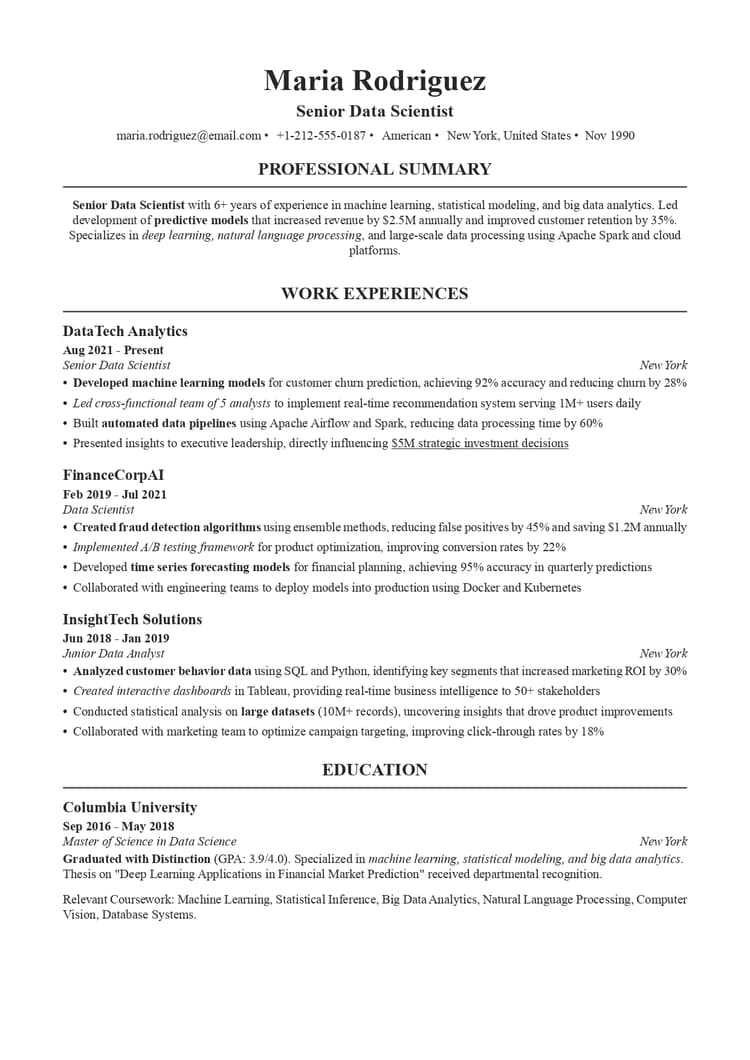
This habit isn't just about job hunting. It's about maintaining career clarity—knowing what you've achieved, what skills you've built, and where you're heading. Use a professional, ATS-friendly resume template to keep your work profile polished and current, or browse different resume examples to see how top candidates in your field present their remote work experience.
Ready to level up your remote career?
Use our AI-powered resume builder to create a polished, ATS-friendly resume in minutes.How to Find and Land Remote Jobs
You can find and land remote jobs by targeting the right platforms, tailoring your application materials to highlight remote readiness, and including the specific skills and qualifications remote employers care about.
Here are a few remote job search tips:
- Browse different job boards to find fully remote and hybrid roles. Don’t rely on just one platform—check niche remote job boards, company career pages, and LinkedIn to widen your search. Set up alerts to stay ahead of new postings and focus on roles that clearly define remote expectations and flexibility.
- Tailor your resume for remote roles. This means surfacing skills like async communication, self-direction, home office setup, and comfort with virtual collaboration tools—these are the hard skills that remote hiring managers screen for first.
- Write a good cover letter. In the letter, you should address your remote work setup and working style directly. Don't make the hiring manager wonder. Briefly explain how you stay productive, communicate with distributed teams, and manage your time.
Final Thoughts
There's no universal blueprint for working from home effectively. What works depends on your role, your living situation, your personality, and honestly, what kind of day you're having. That's not a cop-out; it's an important reminder that these tips are tools, not rules.
Pick three to five of the tips from our guide and focus on them first. Trying to change everything at once is a reliable way to change nothing. WFH productivity is a skill—it improves with deliberate, consistent practice, and most people who feel like they're not cut out for remote work simply haven't built the right habits yet.
Working From Home Tips FAQs

Emily Foster knows how nerve-wracking it can be to land your first job—she’s been there. As a mentor for young professionals, she shares exactly what hiring managers want from entry-level candidates. From internship hacks to interview confidence tips, Emily helps students and recent grads navigate the job search with ease.