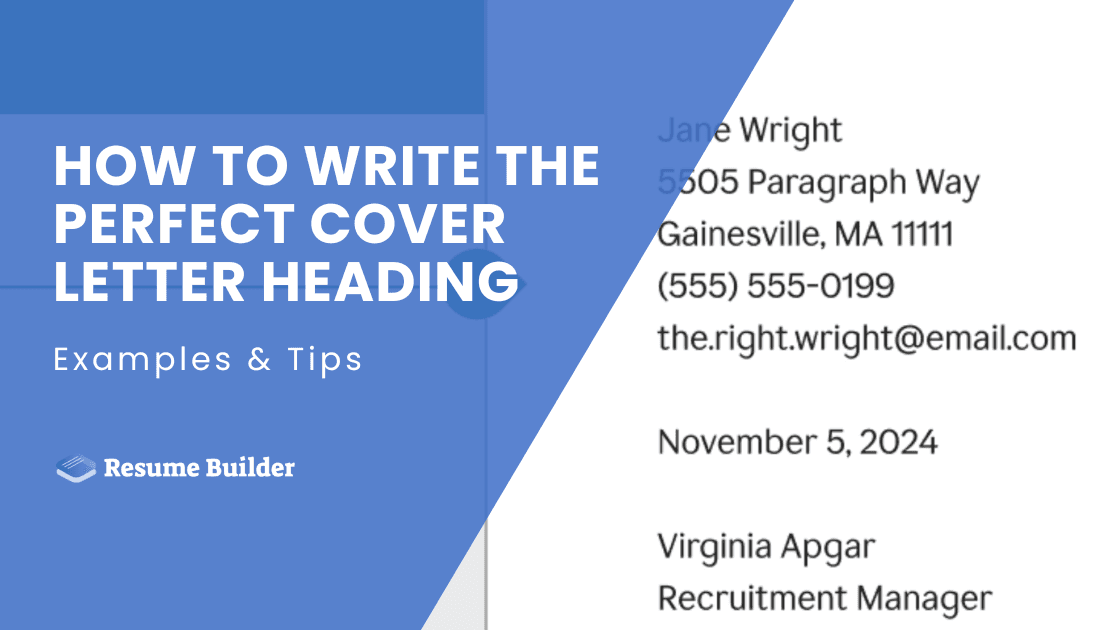
How to Write the Perfect Cover Letter Heading: Examples & Tips

Writing a perfect cover letter heading is all about leaving a good first impression. It might seem like a small detail, but a well-formatted heading demonstrates your professionalism, attention to detail, and respect for business communication standards. Yet many sabotage their chances with sloppy formatting, missing contact information, or inconsistent styling.
In this guide, we will walk you through everything you need to know about creating the perfect cover letter heading. You'll discover the essential elements that belong at the top of every cover letter, formatting tips, industry-specific examples, and common mistakes that could cost you your dream job. By the end, you'll have the necessary knowledge to create a cover letter heading that opens doors.
- A clean, well-structured cover letter heading sets the tone for professionalism and helps both hiring managers and ATS systems quickly identify your contact details.
- Every heading should include your contact information, the date, and the employer’s details, with optional additions like LinkedIn, a portfolio, or a professional title when relevant.
- Formatting matters—use professional fonts, consistent alignment, clear spacing, and the same styling you use on your resume to maintain a unified personal brand.
- Different industries benefit from different heading styles, from traditional and formal to modern, minimalist, or creative, as long as readability and professionalism remain intact.
- Avoid common mistakes such as unprofessional emails, inconsistent resume formatting, unnecessary personal details, and poor alignment, all of which can harm first impressions.

What Is a Cover Letter Heading?
A cover letter heading is the top section of your cover letter that contains your contact information, the date, and the recipient's details. Unlike a simple header that might appear on every page, your cover letter heading serves as a formal introduction that sets the professional tone for everything that follows.
Also, don’t confuse it with your email signature or the header you might use in other documents. Cover letter heading follows specific formatting conventions that have been standard in professional communication for decades.
Furthermore, modern Applicant Tracking Systems (ATS) rely on properly formatted headings to parse the contact information correctly. When your heading follows standard formatting, these systems can easily extract your phone number, email address, and other details for the employer's reference.
What Are the Key Elements of a Cover Letter Heading?
As we have said, the key elements of a cover letter heading are your contact information, the date, and the employer’s contact information. Let’s examine each element in more detail:
#1. Sender’s Contact Information
These are the foundations of any effective cover letter heading. Start with your full name—not a nickname or abbreviated version—and make sure it’s aligned with your resume for consistency across your application materials.
Next, include a professional phone number through which employers can reach you during business hours. If you're using a cell phone, make sure your voicemail greeting sounds professional and clearly states your name. As for the email address, it should be some variation of your name, preferably firstname.lastname@provider.com.
The table below compares professional vs. unprofessional email addresses:
- sarah.johnson@gmail.com
- s.johnson@outlook.com
- sarah.j.johnson@yahoo.com
- sarahjohnson2024@gmail.com (if name is taken)
UNPROFESSIONAL EMAIL ADDRESSES
- hotmama2024@gmail.com
- partygirl_sarah@yahoo.com
- cutie_pie_sj@hotmail.com
- sarah_loves_cats@gmail.com
For your address, you've got several options depending on your situation. If you're applying locally, you can include a full address to show you're already in the area, but listing just your city and state is advised to protect your privacy.
#2. Date
The date might seem like a minor detail, but it's actually more important than most people realize. It shows when you wrote the letter, which can be relevant for time-sensitive applications or when employers are reviewing applications over an extended period.
The date sits below your contact information and above the recipient's (employer’s) details. Always use the full date format (e.g. May 25, 2025) rather than numerical shortcuts that can be confusing.
#3. Recipient’s Contact Information
When possible, include the hiring manager's name, title, company name, and company address. This personalization shows you've researched the company and aren't sending generic applications to dozens of employers.
However, if you can't find a specific person's name, use a professional alternative like "Hiring Manager," "Human Resources Director," or the specific department name (e.g., "Marketing Department"). Avoid outdated phrases like "To Whom It May Concern," which immediately signals that you haven't invested time in researching the company.
What Are the Optional Elements for a Cover Letter Heading?
There are several optional elements that you can include to make your header more professional, such as your LinkedIn profile, professional website or portfolio link, and your professional title. However, consider your industry, the company culture, and the specific job requirements when deciding which optional elements to include.
That said, let’s examine each optional element in more detail:
#1. LinkedIn Profile
Adding your LinkedIn profile gives employers immediate access to your professional network, endorsements, and expanded work history. Ensure your profile is current and matches your resume before including this link.
Also, use a customized LinkedIn URL rather than the default string of numbers for a cleaner appearance. This is particularly valuable in industries where networking and online presence matter, such as marketing, sales, or tech roles.
#2. Professional Website or Portfolio Link
Including a link to your personal website or online portfolio is especially beneficial for creative professions, such as graphic design, as showcasing work samples is important. This gives employers direct access to examples of your skills and qualifications.
Make sure your website is mobile-friendly, loads quickly, and features your best, most relevant work. Keep the URL concise and professional, ideally using your name as the domain.
#3. Professional Title or Headline
A brief professional title or headline beneath your name can immediately communicate your expertise and career focus. This might be "Senior Marketing Manager" or "Certified Public Accountant."
This element is particularly useful when transitioning between roles or applying to positions where your job title might not directly match. Keep it concise—typically three to five words—and ensure it aligns with the position you're seeking to create immediate relevance.
How to Format Your Cover Letter Heading: A Step-by-Step Guide
Formatting your cover letter heading is all about attention to detail and following a structured process. That said, let’s see how to format your heading step by step:
The positioning of your contact information depends on the overall style you're going for and your industry. You can choose between three alignment styles for your heading, including:
- Left-alignment. This is the most traditional and conservative approach—perfect for finance, law, healthcare, and other formal industries. Your contact information stacks vertically along the left margin, creating a clean, no-nonsense appearance.
- Center alignment. It works well for creative industries or when you want a more modern look. It creates visual balance and can work particularly well when your heading matches a similarly formatted resume.
- Right alignment. This one is less common but can work for certain creative roles or when you want to create visual interest. Just make sure the overall design remains professional and easy to read.
However, keep in mind that whatever alignment you choose, maintain it consistently throughout when writing your cover letter.
The choice of your cover letter font communicates your professionalism and attention to detail. Stick with classic, readable fonts like Arial, Calibri, Times New Roman, or Georgia. These professional fonts are ATS-friendly and display consistently across different devices.
Use 11-12 point font size for optimal readability—anything smaller appears cramped, while larger sizes waste valuable space. Maintain consistent spacing between lines (1.15 or 1.5 spacing works well) and include adequate white space between different sections of your heading. Remember, white space isn't wasted space—it makes your document easier to scan and more visually appealing.
There's a logical order for presenting your contact information. Here is how you should list it:
- Full name
- Address (or city/state)
- Phone number
- Email address
- LinkedIn profile (optional)
- Professional website (optional)
Each piece of information should appear on its own line unless you're working with limited space. In that case, you can combine your city/state with your phone number on one line, separated by adequate spacing or a vertical bar symbol.
Place the date two lines below your contact information. Below the date, add the recipient's information, including:
- Name and title
- Company name
- Company address
If you're sending your cover letter via email, you can modify this format slightly. Some elements (like full addresses) become less critical in digital communications, but maintaining the professional structure still matters.
Cover Letter Heading Examples by Format
Traditional Business Format
This classic approach works best for conservative industries like banking, law, insurance, and government positions. Here's how it looks:

The traditional format emphasizes formality and completeness. Every detail is included, from full addresses to proper titles. This approach demonstrates respect for established business communication standards and shows you understand professional protocols.
It's particularly effective when you know you're dealing with traditional corporate cultures that value hierarchy and formality.
Modern Minimalist Format
Contemporary companies, especially in tech, startups, and creative fields, often prefer cleaner, more streamlined approaches:

This format eliminates unnecessary elements while retaining all essential information. The single-line contact approach saves space and creates a modern, efficient appearance.
Including your LinkedIn profile acknowledges the importance of professional networking in today's job market. This style works particularly well for tech industry applications where brevity and digital connectivity are valued.
Creative Industry Format
For design, marketing, media, and other creative roles, you can add personality while maintaining professionalism:

This format shows personality and creativity while remaining completely professional. The key is balancing creativity with readability—your heading should enhance your candidacy, not distract from it.
Email Cover Letter Format
When sending cover letters via email, adapt your format for digital communication. Here’s a good example you can use for inspiration:
Subject: Application for Marketing Manager Position - Sarah Johnson
Dear Mr. Wilson,
Since you're reading this in an email, my contact information
appears in my signature below, and your details are handled
by your email address. This allows me to jump straight into
introducing myself and explaining why I'm perfect for your
Marketing Manager position...
[Your cover letter content continues here]
Best regards,
Sarah Johnson
---
Sarah Johnson
Marketing Professional
(555) 123-4567
sarah.johnson@email.com
LinkedIn: linkedin.com/in/sarahjohnson
Email applications require different considerations. Your contact information appears in your email signature, and the recipient's details are handled by their email address. Focus on a compelling subject line and a strong opening that immediately identifies the position you're seeking.
4 Common Cover Letter Heading Mistakes to Avoid
The cover letter heading sits at the top, so it’s the first thing employers notice. However, many overlook this section when proofreading their cover letters, which leads to mistakes that could have been avoided. Here are the four most common mistakes people make in their headings:
- Using unprofessional email addresses. Your email address might seem like a minor detail, but it's often the first thing hiring managers notice. Addresses like "partygirl2024@email.com" or "hotshot_player@gmail.com" immediately undermine your professionalism. Even seemingly innocent addresses with numbers, nicknames, or references to hobbies can seem unprofessional in business contexts.
- Inconsistent formatting with your resume. This is one of the biggest cover letter mistakes. Consistency extends beyond just visual elements. Your name should be formatted identically on both documents. Your phone number and email address should match exactly. If you use a professional title or tagline on your resume, consider including it in your cover letter heading as well. This cohesion creates a strong personal brand that hiring managers remember.
- Including unnecessary information. Skip your birthdate, marital status, social security number, or photo unless specifically requested. These elements take up valuable space and can even introduce unconscious bias into the hiring process. Similarly, avoid including every social media profile or contact method you have. Include your LinkedIn profile if it's professional and current, but skip your Twitter, Instagram, or TikTok unless they're directly relevant to the position.
- Poor alignment and spacing. Misaligned text suggests carelessness, while inconsistent spacing makes your document hard to read. These problems become even more pronounced when your cover letter is printed or viewed on different devices. When in doubt, test your formatting by printing a copy and asking others to review it for readability and professional appearance.
Ensure Professional Look and Consistency With ResumeBuilder.so
Creating a polished cover letter with a flawless heading is simple when you use the right tools. ResumeBuilder.so offers an AI-powered builder that helps you craft professional application materials. The platform's intelligent system guides you through each section of your cover letter, ensuring your heading includes all necessary elements in the proper format.
With professionally designed templates optimized for ATS, you don’t have to worry about your application being filtered out due to formatting errors. The builder automatically formats your contact information consistently across both your resume and cover letter, creating a cohesive professional brand.
Final Thoughts
Your cover letter heading might occupy just a small portion of your application, but its impact on first impressions is significant. Professional formatting, complete contact information, and consistency with your resume create the foundation for a successful job application.
Once you've developed templates that work for your industry and personal style, you can adapt them quickly for different applications while maintaining quality and consistency. This efficiency allows you to focus more time on customizing your cover letter content for specific positions and companies.
Remember that your cover letter heading serves multiple audiences—both automated systems and human reviewers need to process your information quickly and accurately. By following the guidelines and examples in this article, you'll create headings that work effectively in any context while presenting yourself as a polished, professional candidate.
Cover Letter Heading FAQ

Chris Nolan is the go-to expert for turning cold connections into career-changing opportunities. He doesn’t just talk about networking—he teaches you how to actually do it without feeling awkward or spammy. From crafting the perfect LinkedIn message to leveraging your existing network for job referrals, Chris makes networking simple and strategic.