ATS Resume: A Step-by-Step Guide to Creating a Good One
This complete guide with detailed explanations and expert tips will teach you how to write an acting resume in record time!
Edit this resume
An ATS resume is a resume that has been formatted and optimized to be correctly read, ranked, and passed by applicant tracking system (ATS) software. Before a recruiter even glances at your application, software has already decided whether you make the cut; for most online job applications, that's just how it works.
That's not a minor hurdle, as many resumes get rejected by ATS before a human reviews them. In other words, qualified candidates may get screened out because their job application wasn't structured the way the system expected.
This guide covers everything: how ATS works, which formats pass screening, how to identify the right keywords, and how to write your resume so that it doesn’t get rejected.
- An ATS (applicant tracking system) is software that automatically screens resumes before recruiters review them.
- ATS-friendly resumes use standard formatting, clear section headings, and job-specific keywords.
- The best format for ATS is reverse-chronological or hybrid; functional formats typically fail ATS parsing.
- Avoid graphics, columns, tables, text boxes, and unusual fonts, as they prevent ATS from reading your content correctly.
- You can get a head start by using a pre-built ATS-compatible resume template from ResumeBuilder.so.
What Is an ATS Resume?
An ATS resume is a resume that has been specifically formatted and keyword-optimized to be correctly parsed, scored, and ranked by applicant tracking system (ATS) software. It’s important to understand that it's not a separate document format but simply a smarter way to rewrite the resume you already have.
ATS is a category of software (not a single platform) that employers use to collect, filter, and rank job applications automatically. Common systems include Taleo, Workday, Greenhouse, Lever, and iCIMS. Different companies use different platforms, but they all operate on the same basic principle: screen resumes before a recruiter sees them.
In practice, "ATS-friendly resume" actually means two things: the resume can be correctly parsed (meaning the software can extract your information), and it contains the right keywords to score well against the job description. A resume that looks beautiful but uses a multi-column layout or graphic skill bars may fail the first test entirely, but a clean resume that's missing the right terminology may fail the second.
The scale of ATS use is significant. The newest research from 2025 and 2026 has shown that over 8 out of 10 HR professionals (which equals to 78%) use this type of software for hiring. Furthermore, a study conducted by Peicheva concluded that such programs reduce human effort during the process, making more time for crucial tasks and other important decisions.
How Does an ATS Read Your Resume?
An ATS reads your resume by parsing its content into structured data fields, which includes extracting your name, contact information, work history, skills, and education. Then, it compares those fields against the job description requirements, deciding whether you make an eligible candidate for the position or not.
Let’s explore each step of the process in more detail:
#1. Resume Parsing
Resume parsing is the process by which ATS software extracts text from your resume and maps it into categories like name, employer, job title, dates, skills, and education. The system "reads" your document line by line and tries to categorize every piece of information it encounters.
The problem is that not every resume is easy to read this way. Tables, text boxes, headers, footers, columns, and images all interfere with parsing. If your job title is buried inside a text box or formatted within a two-column layout, ATS may record that field as blank or assign the wrong content to it entirely.
#2. Keyword Matching
Keyword matching is how ATS compares the language in your resume against the language in the job description to determine relevance and calculate a match score. The software scans for skills, job titles, tools, certifications, and responsibilities that the employer listed as requirements.
A higher keyword match equals a higher score; meanwhile, a lower score means your resume gets filtered out before a recruiter sees it. This is exactly why tailoring your resume for each application matters; the same generic resume submitted to ten different roles will score lower on every one of them.
#3. Ranking and Scoring
ATS software ranks and scores all submitted resumes, presenting the highest-scoring candidates to recruiters first, which means even highly qualified applicants may never be seen if their score is too low. Many employers set a minimum score threshold, and applications below it are automatically archived before any human reviews them.
This is why both formatting and keywords matter since a resume that can't be parsed won't score well. Additionally, a resume that parses correctly but doesn't mirror the job description's language won't rank high enough to be reviewed.
The goal isn't to game the system but to present your skills and qualifications in a format the software can accurately read and score. You're not trying to trick an algorithm, but making sure a legitimate, qualified application is actually evaluated.
ATS Resume Format: What to Use (and Avoid)
The best resume formats for ATS compatibility are reverse-chronological and hybrid, both of which present your work history and skills in a structured way that ATS systems parse accurately.
- The reverse-chronological format is the gold standard, and it lists work history from most recent to oldest, which is exactly the structure every ATS is built to expect. If you have consistent, relevant experience in your target field, this is the format to use.
- Meanwhile, the hybrid (or combination) format places a skills section at the top, followed by reverse-chronological work history. It works well for career changers who need to lead with transferable skills. ATS handles these reliably as long as the skills section uses simple text without tables or columns.
The functional format, which is organized by skill category rather than job history, is not recommended for online applications. ATS parsers typically can't map the content formatted this way to standard data categories, which results in parsing errors and low scores.
File Format: PDF vs. Word (.docx)
The safest file format to submit when having ATS in mind is .docx, though most modern applicant tracking systems can also parse text-based PDFs. The key is to avoid submitting a scanned image PDF, which looks like images to ATS, so the software can't extract any text from it or read it at all.
Formatting Elements to Avoid
Formatting elements to avoid on an ATS resume include:
- Tables. ATS parsers frequently skip or misread content inside table cells. Your work history or skills list may become invisible to the system.
- Text boxes. Content inside a text box is typically treated as an image by ATS, so it won't be extracted or detected.
- Headers and footers. Contact information in the page header or footer area may not be captured. Always put your name, phone number, email, and LinkedIn URL in the main body at the top of page one.
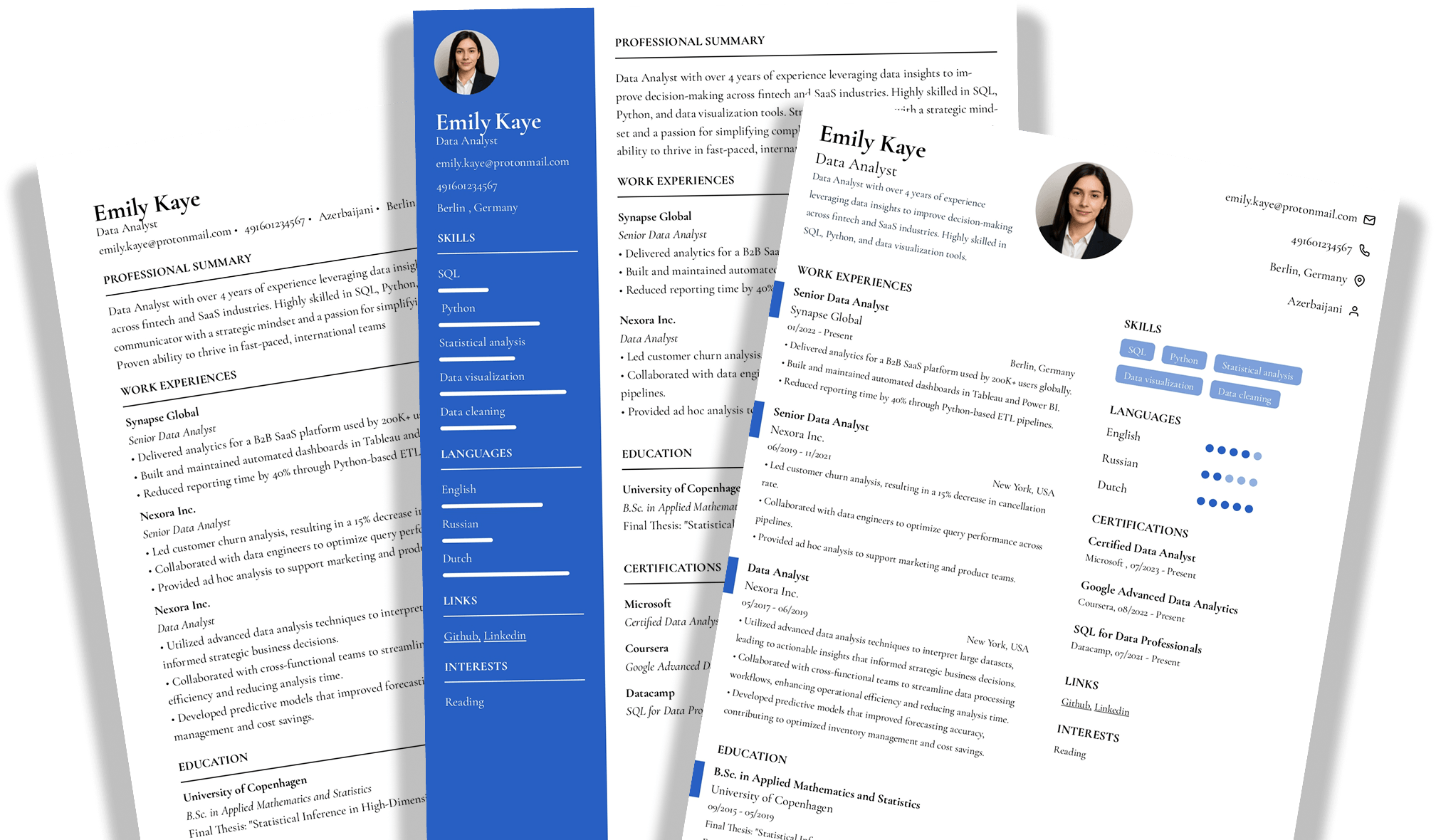
- Multi-column layouts. ATS reads text left to right, line by line. A two-column layout causes the system to merge content from both columns into a single, scrambled line of text.
- Images, logos, and icons. ATS cannot read images. Photos, skill bar graphics, and decorative icons add nothing to your resume; quite the contrary, they just cause parsing errors.
- Non-standard fonts. Stick to Arial, Calibri, Garamond, Georgia, or Times New Roman, as decorative fonts sometimes convert to unreadable characters.
- Fancy bullet points. Use standard round bullets or hyphens only; symbols, emoji, or custom characters may render as garbled text.
ATS Resume Examples by Style
Before we show you how to make a an ATS resume, let’s explore some examples with different styles:
Simple ATS Resume Example

Modern ATS Resume Example

Creative ATS Resume Example

Professional Resume Example

How to Make an ATS Resume Step by Step
You can make an ATS resume by following these six steps:
Step 1: Choose an ATS-Compatible Template
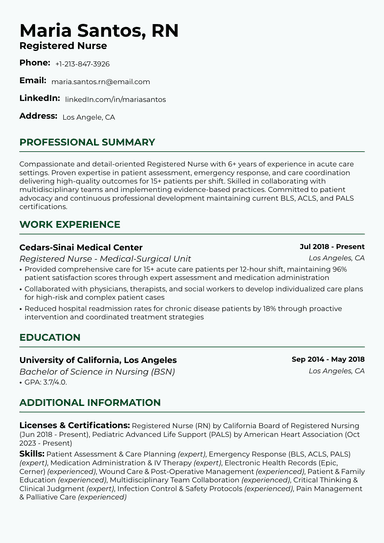
You should start your ATS resume by choosing a clean, single-column ATS resume template. A solid one includes no graphics, is written in a standard font, and features a white background.
Step 2: Use Standard Section Headings
You should use standard section headings on your ATS resume because applicant tracking systems are programmed to recognize labels like Work Experience, Education, and Skills. Without these, and with creative alternatives, it may fail to categorize your content correctly.
Step 3: Write an ATS-Optimized Summary
Your resume summary should be a 2- to 3-sentence statement at the top of your resume that includes your target job title, core skills, and 2–3 keywords from the job description.
ATS heavily weights content near the top of the document, so lead with your target job title exactly as it appears in the posting, then follow with your strongest qualifier: years of experience, a key certification, or a measurable achievement.
Here's an example that integrates keywords naturally while still sounding human:
Results-driven Digital Marketing Manager with 6 years of experience in SEO, Google Analytics, and content strategy. Proven record of increasing organic traffic by 40%+ through data-driven campaign optimization. Google Analytics certified professional seeking to lead growth initiatives at a mission-driven company.
Step 4: Optimize Your Work Experience Section
Your work experience section should contain bullet points starting with action verbs, include measurable results where possible, and naturally incorporate the keywords you identified from the job description.
Format each role as: Company Name | Job Title | Dates (Month Year – Month Year or Present). Then, include 4–6 bullets for recent or highly relevant roles, and 2–3 for older ones. Lead each bullet with an action verb and build toward a result, like this, as this enables your previous performance assessment:
- Reduced customer churn by 18% by implementing automated email follow-up sequences in HubSpot.
Step 5: Build a Clean Skills Section
Your ATS resume skills section should be a clearly labeled, keyword-rich list of your hard skills, technical tools, and relevant soft skills — formatted as simple text or bullet points, not a graphical skill bar.
Hard skills (technical tools, software, programming languages, platforms) belong here by exact name. Meanwhile, soft skills carry more weight when they appear within your work experience bullets. Skill bars and rating graphics look polished on screen, but to ATS, they're images, so the software can't extract any information from them.
Step 6: Proofread and Run an ATS Check
Before submitting your document, you should proofread for errors and run it through an ATS resume checker to verify your keyword match rate and confirm it parses correctly.
Then compare your keyword list against the job description one final time and make sure you save the file as .docx unless the posting requires a PDF.
4 More Expert ATS Resume Tips to Keep in Mind
Beyond the basics, here are four expert resume tips to push your score higher and make sure nothing is accidentally filtering out your application:
One generic resume will not rank well across different roles. Therefore, tailor your summary and skills section for each posting, or at a minimum, adjust your keyword alignment. Small targeted edits (five to ten minutes per application) significantly improve your match rate without requiring a full rewrite each time.
Spell out certification names in full on first mention, then abbreviate, e.g., "Project Management Professional (PMP)", as this ensures the ATS catches both search variations. You should also include a dedicated Certifications section so that you don't bury credentials inside job descriptions where ATS may miss them.
Numbers help both ATS and human reviewers. For instance, "Increased revenue by 35%" is keyword-rich and compelling, while "Improved revenue performance" is neither.
Use metrics wherever you can, be they percentages, KPIs, dollar amounts, team sizes, time frames, or any other. Quantified bullets are harder to ignore and easier for ATS to parse as concrete accomplishments.
Finally, don’t forget to use the same date format throughout: Month Year – Month Year (for example, Jan 2021 – Mar 2023). Inconsistent date formats confuse parsers and can scramble your job history chronology, causing ATS to misread the sequence of your experience or flag employment gaps that don't exist.
Create a Seamless ATS-Friendly Resume with ResumeBuilder.so Now!
A resume template that looks minimal but was designed in Canva or built around a multi-column grid may still fail ATS parsing, as visual simplicity doesn't guarantee compatibility.
Luckily, our resume builder helps you optimize for ATS, regardless of industry and experience level. Besides that, our platform features dozens of expert-approved, ATS-friendly resume examples so that you can see what your job application should look like in practice!
Final Thoughts
The key to getting your resume past ATS is combining the right format with the right keywords and making sure both elements work together in every application you submit.
ATS is not an obstacle designed to filter out good candidates, but a volume management tool. Knowing how it works puts you ahead of most applicants who send the same generic resume to every posting and wonder why they never hear back.
After all, the changes required to make your resume ATS-friendly are straightforward, and none of them requires starting from scratch; most of the time, you're a few targeted edits away from a meaningfully better match rate!
ATS Resume FAQs
#1. What does ATS stand for?
ATS stands for Applicant Tracking System, so an ATS resume refers to a job application document that has been specifically formatted and keyword-optimized to pass through this software.
#2. How do I make my resume ATS-friendly?
You can make your resume ATS-friendly by using a clean single-column layout, standard section headings, and relevant keywords drawn directly from the job description you are applying to. Also, you need to avoid tables, graphics, columns, text boxes, and non-standard fonts.
#3. What is the best format for an ATS resume?
The best format for an ATS resume is reverse-chronological, which lists your most recent experience first and is the structure most ATS are designed to parse accurately. Hybrid formats can also work well for career changers, as long as the skills section avoids tables or columns.
#4. Can ATS read PDFs?
Most modern ATS platforms can read text-based PDFs, but they cannot parse scanned image PDFs. To be safe, submit your resume as a .docx file unless the employer specifically requests a PDF, since it’s universally readable across all ATS systems.
#5. What keywords should I put in my ATS resume?
You should include keywords from the specific job description you are applying to, focusing on required skills, tools, certifications, and job titles the employer lists. You should integrate them naturally throughout your resume rather than listing them in an isolated keyword block.
#6. Are resume templates ATS-friendly?
Resume templates are ATS-friendly only if they use a clean, single-column design without tables, graphics, or complex formatting. ResumeBuilder.so's templates are specifically built and tested for ATS compatibility, so you can customize them without worrying about formatting errors.

Jordan Lee is your guide to navigating the rapidly changing job market in the age of AI and automation. He dives into how AI is reshaping hiring, the skills of the future, and what job seekers need to do now to stay relevant. If you’re curious about how technology is transforming careers and want to future-proof your job, Jordan’s insights are a must-follow.